
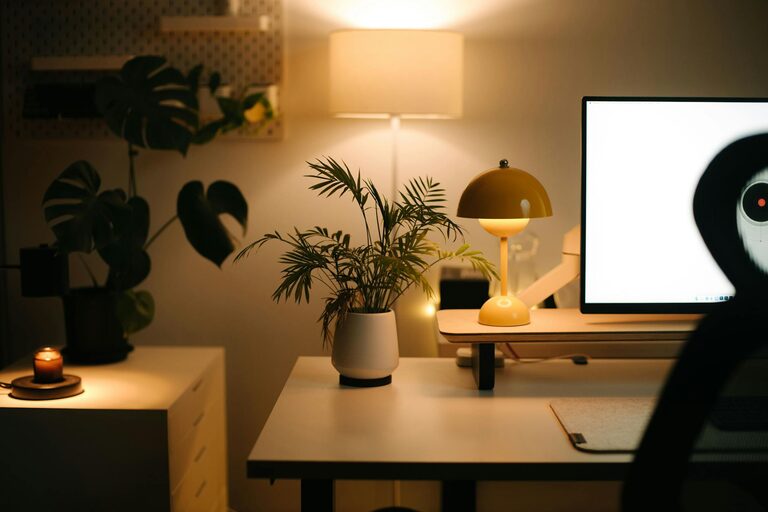
Creating a cozy and functional home workspace is essential for boosting productivity and maintaining a good work-life balance. Whether you work remotely full-time or occasionally need a dedicated area for tasks, designing a space that supports your needs can make a big difference. Here are some helpful tips to guide you in setting up a workspace that is both comfortable and efficient.
1. Choose the Right Location
Consider Natural Light
Select a spot with plenty of natural light if possible. Sunlight not only brightens the area but also helps improve mood and focus.
Minimize Distractions
Choose a quiet corner or room away from high-traffic areas in your home. This reduces noise and interruptions, helping you concentrate better.
Optimize for Space
Assess how much room you need for your work equipment and supplies. Make sure there is enough space for your desk, chair, and any additional items without feeling cramped.
2. Invest in Comfortable Furniture
Ergonomic Chair
An adjustable ergonomic chair supports your posture and prevents discomfort during long work hours. Look for one with lumbar support and adjustable height.
Spacious Desk
A desk with ample surface area allows you to spread out and keep important items within reach. Consider desks with built-in storage if you want to keep your supplies organized.
Adjustable Desk Options
If possible, consider a sit-stand desk to alternate between sitting and standing, which can improve circulation and reduce fatigue.
3. Keep It Organized
Declutter Regularly
A tidy environment promotes focus. Regularly clear unnecessary items from your desk and workspace.
Use Storage Solutions
Utilize shelves, filing cabinets, drawer organizers, and desk trays to keep papers and tools neatly arranged.
Cable Management
Manage cords through clips, sleeves, or under-desk trays to keep your workspace looking clean and safe.
4. Personalize Your Space
Add Personal Touches
Incorporate items that make you feel at ease, such as framed photos, artwork, or a favorite mug.
Use Plants
Live plants not only add color but can also improve air quality and create a calming atmosphere.
Choose Soothing Colors
Paint or decorate your workspace with colors that make you feel relaxed and focused, like soft blues, greens, or neutrals.
5. Optimize Lighting
Combine Natural and Artificial Light
Besides natural light, make sure to have sufficient task lighting, such as a desk lamp with adjustable brightness and color temperature.
Avoid Glare
Position your computer screen to avoid glare from windows or overhead lights, which could cause eye strain.
6. Improve Acoustics
Use Soft Materials
Soft furnishings like rugs, curtains, and cushions help absorb sound, reducing echo and noise levels.
Sound Masking
Consider white noise machines or background music apps to drown out distracting noises.
7. Create a Work Routine
Designate Work Hours
Set clear start and end times to separate work from leisure, which can reduce burnout and improve focus.
Take Breaks
Incorporate short breaks away from your desk to stretch, hydrate, and refresh your mind.
8. Technology Setup
Reliable Internet
Ensure your internet connection is fast and stable to avoid interruptions during calls or tasks.
Quality Equipment
Invest in quality accessories like keyboards, mice, and headsets that support comfort and efficiency.
Backup Solutions
Keep important files backed up in the cloud or on external drives to prevent data loss.
Conclusion
A cozy and functional home workspace is within reach with thoughtful planning and simple adjustments. Prioritize comfort, organization, and personalization to create an environment where you can work productively and feel at ease. Whether you have a small nook or a dedicated room, these tips can help transform your space into an inviting place to get things done.
